Text/MD Extractor.
Turn any web page into clean text or Markdown, in one click.
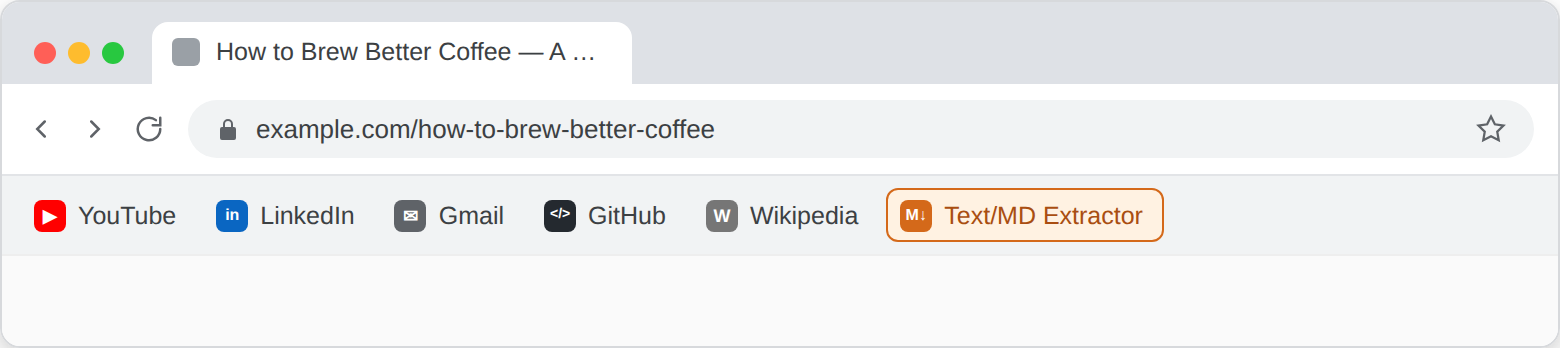
Install
Drag the button below to your bookmarks bar.
Drag me to your bookmarks barSome browsers block javascript: links that are pasted directly into the address bar, so dragging is the reliable way to install this.
Don't trust drag-and-drop? See How to create a bookmarklet manually below for the step-by-step alternative.
Dragging to a bookmarks bar isn't possible on phones, so add the bookmark manually instead. The steps under How to create a bookmarklet manually below work on mobile too. How you trigger it afterward depends on the browser. In Safari on iOS, a normal tap on the bookmark runs it against whatever page you're viewing. Chrome on Android works differently: tapping a bookmark from the bookmarks list does nothing there. That's a long-standing Chrome restriction, not something this tool controls. Give the bookmark a short name when you save it, then on the page you want to extract, type that name into the address bar and pick it from the suggestions that show up. That's what actually runs it.
How it works
- Open any article or page you want to extract.
- Click the bookmark in your bookmarks bar.
- Pick your export format: plain text or Markdown, copy to clipboard or download.
- Done. Paste it into a chat window, an outline, or a notes doc.
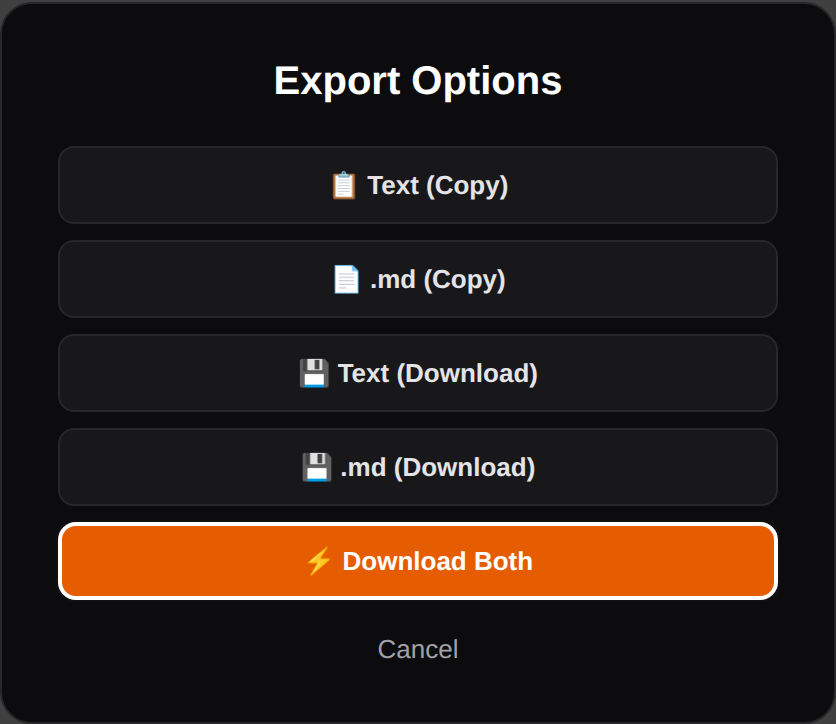
Why it's useful
For LLM users
Pasting a whole web page into a chat window means pasting the nav bar, the cookie banner, the related-article widget and the ad copy along with it. Every one of those tokens dilutes the context the model actually needs. This strips a page down to headings, paragraphs, lists and quotes, nothing else, before it goes into a prompt.
For content writers
Research usually means a dozen open tabs and wanting the substance of each, not the layout. One click gets a clean .md file with the heading structure intact, so it drops straight into an outline or a notes doc.
For SEOs and GEOs
A lot of the working day is reading competitor content, pages an AI engine cited, or a client's own pages, then feeding that content into an LLM for gap analysis, brief-writing or citation-worthiness checks. Structure matters for that work: knowing what's an H2, what's a paragraph, and what's a blockquote is part of understanding why a page ranks or gets cited. A raw text dump loses that; this keeps it.
No dependencies, no data sent anywhere, works offline once bookmarked. It's JavaScript running in your own browser tab.
How to create a bookmarklet manually
If you'd rather not drag-and-drop, or your browser blocks it, add the bookmark by hand instead:
- On desktop, show the bookmarks bar if it's hidden: Ctrl + Shift + B on Windows/Linux, Cmd + Shift + B on Mac. On mobile, skip this step.
- Add a new bookmark: right-click the bookmarks bar and choose "Add page" on desktop, or use your browser's own add-bookmark option on mobile (wording varies by browser).
- Give it a short, easy-to-type name (useful on Chrome for Android, see above).
- Paste the full JS code (see below) into the URL field.
- Save it. Done.
The code
Full source below, readable, so you can see exactly what it does before you run it. It's the same code as the bookmarklet above, just not URL-encoded.
javascript:(function(){var CB=navigator.clipboard,BL=window.Blob,U=window.URL||window.webkitURL,H="\x23",BT="\x60";function el(t,s,x){var n=document.createElement(t);if(s)for(var k in s)n.style.setProperty(k,s[k],"important");if(x!=null)n.textContent=x;return n}function toast(m){var n=el("div",{position:"fixed",bottom:"20px",right:"20px","max-width":"60vw",background:"#18181b",color:"#fff",padding:"12px 20px","border-radius":"8px","z-index":"2147483647","font-family":"sans-serif","font-size":"14px",border:"1px solid #27272a","box-shadow":"0 10px 25px rgba(0,0,0,.5)","color-scheme":"dark"},m);document.body.appendChild(n);setTimeout(function(){n.remove()},3000)}function fname(){var h=document.querySelector("h1"),b=((h&&h.innerText||document.title||"")+"-"+location.hostname+location.pathname);b=b.replace(/[\u0000-\u001f\u007f]/g,"").replace(/[^\p{L}\p{N}._ -]+/gu,"-").replace(/\s+/g," ").replace(/-{2,}/g,"-").replace(/^[.\s-]+/,"").slice(0,80).replace(/[.\s-]+$/,"");return b||"export"}function fence(t){var m=t.match(new RegExp(BT+"+","g")),n=3;if(m)m.forEach(function(s){if(s.length>=n)n=s.length+1});return new Array(n+1).join(BT)}function dl(t,f,m){var b=new BL([t],{type:m+";charset=utf-8"}),u=U.createObjectURL(b),a=el("a");a.href=u;a.download=f;a.rel="noopener noreferrer";document.body.appendChild(a);a.click();a.remove();setTimeout(function(){U.revokeObjectURL(u)},2000)}function cp(t){if(!CB||!CB.writeText)return Promise.reject(new Error("clipboard blocked (page not HTTPS)"));return CB.writeText(t)}function ask(){return new Promise(function(res){var ov=el("div",{position:"fixed",inset:"0",background:"rgba(0,0,0,.75)","backdrop-filter":"blur(4px)",display:"flex","align-items":"center","justify-content":"center","z-index":"2147483647","font-family":"sans-serif","color-scheme":"dark"}),bx=el("div",{background:"#0c0c0e",border:"1px solid #27272a",padding:"28px","border-radius":"16px","max-width":"360px",width:"100%","text-align":"center",color:"#f4f4f5"});function done(v){ov.remove();document.removeEventListener("keydown",key,true);res(v)}function key(e){if(e.key==="Escape"){e.stopPropagation();done(null)}}ov.onclick=function(e){if(e.target===ov)done(null)};document.addEventListener("keydown",key,true);function btn(l,v,hi){var b=el("button",{width:"100%",padding:"11px 14px","margin-bottom":"8px",border:"1px solid #27272a","border-radius":"8px",background:hi?"#e65c00":"#18181b",color:hi?"#fff":"#e4e4e7",cursor:"pointer","font-weight":"600","font-size":"13px"},l);b.onmouseover=function(){b.style.setProperty("border-color","#e65c00","important")};b.onmouseout=function(){b.style.setProperty("border-color","#27272a","important")};b.onclick=function(){done(v)};return b}var h3=el("h3",{margin:"0 0 20px 0","font-size":"20px","font-weight":"700",color:"#fff"},"Export Options"),both=btn("⚡ Download Both","dl-both",true),cx=el("button",{background:"none",border:"none",color:"#a1a1aa",cursor:"pointer","font-size":"13px","margin-top":"8px",width:"100%"},"Cancel");cx.onclick=function(){done(null)};var ft=el("div",{"margin-top":"20px","padding-top":"14px","border-top":"1px solid #27272a","font-size":"12px",color:"#71717a"},"Provided by "),a1=el("a",{color:"#e65c00","text-decoration":"none","font-weight":"600"},"Stephan Reiss (LinkedIn)");a1.href="https://www.linkedin.com/in/reiss/";a1.target="_blank";a1.rel="noopener noreferrer";var wr=el("div",{"margin-top":"4px"}),a2=el("a",{color:"#e65c00","text-decoration":"none","font-weight":"600"},"www.stephan-reiss.de");a2.href="https://www.stephan-reiss.de";a2.target="_blank";a2.rel="noopener noreferrer";wr.appendChild(a2);ft.appendChild(a1);ft.appendChild(wr);bx.append(h3,btn("📋 Text (Copy)","copy-text"),btn("📄 .md (Copy)","copy-md"),btn("💾 Text (Download)","dl-text"),btn("💾 .md (Download)","dl-md"),both,cx,ft);ov.appendChild(bx);document.body.appendChild(ov);setTimeout(function(){both.focus()},10)})}function extract(){var root=document.querySelector('article, main, [role="main"], .post-content, .article-body, .entry-content'),scoped=!!root;if(!root)root=document.body;var skip=["SCRIPT","STYLE","IFRAME","SVG","NOSCRIPT","FORM"];if(!scoped)skip=skip.concat(["HEADER","FOOTER"]);var out=[],w=document.createTreeWalker(root,NodeFilter.SHOW_ELEMENT,{acceptNode:function(n){if(skip.indexOf(n.tagName)>-1)return NodeFilter.FILTER_REJECT;if(!scoped&&n.closest("footer, header, .widget, .site-sidebar"))return NodeFilter.FILTER_REJECT;return NodeFilter.FILTER_ACCEPT}});while(w.nextNode()){var n=w.currentNode,tag=n.tagName.toLowerCase(),tx=(n.innerText||"").replace(/\s+/g," ").trim();if(!tx)continue;if(["p","li","blockquote","pre","figcaption"].indexOf(tag)>-1||/^h[1-6]$/.test(tag)){if(n.querySelector("p, li, blockquote, pre, figcaption, h1, h2, h3, h4, h5, h6"))continue;out.push({tag:tag,text:tx})}}var md="",txt="";out.forEach(function(o){var t=o.tag,x=o.text;if(/^h[1-6]$/.test(t)){md+=new Array(+t[1]+1).join(H)+" "+x+"\n\n";txt+=x+"\n\n"}else if(t==="li"){md+="* "+x+"\n";txt+=x+"\n"}else if(t==="blockquote"){md+="> "+x+"\n\n";txt+=x+"\n\n"}else if(t==="pre"){var f=fence(x);md+=f+"\n"+x+"\n"+f+"\n\n";txt+=x+"\n\n"}else{md+=x+"\n\n";txt+=x+"\n\n"}});return{md:md,txt:txt}}ask().then(function(a){if(!a)return;toast("⌛ Extracting content...");var f=fname(),d=extract();if(a==="copy-text")return cp(d.txt).then(function(){toast("✅ Text Copied!")});if(a==="copy-md")return cp(d.md).then(function(){toast("✅ .md Copied!")});if(a==="dl-text"){dl(d.txt,f+".txt","text/plain");toast("✅ Text Downloaded!")}else if(a==="dl-md"){dl(d.md,f+".md","text/markdown");toast("✅ .md Downloaded!")}else if(a==="dl-both"){dl(d.txt,f+".txt","text/plain");dl(d.md,f+".md","text/markdown");toast("✅ Both Downloaded!")}}).catch(function(e){toast("Error: "+String(e&&e.message||e).slice(0,200))});})();Prefer to inspect it in your own editor, or host it yourself? Fetch it directly:curl https://www.stephan-reiss.de/tools/text-md-extractor/bookmarklet.js
Privacy & security
Everything runs client-side. The bookmarklet makes no network requests and reads only the current tab's DOM. Nothing is sent anywhere, logged, or stored outside your browser.
A word of caution that applies to any bookmarklet, not just this one: it runs with the same access to the page you're on as that page's own scripts. A malicious one could read form fields, grab cookies, or throw up a fake login overlay without you noticing. Never install a bookmarklet you haven't read. The code above is exactly what runs when you click the button, unminified, so you can check it yourself before you drag it in.